


Remove dust from film scans on a Mac or PC, black and white included.
Spot Tone finds the dust, hairs, and scratches on a film scan and repairs them with the film's own grain.
For photographers who scan their own film, and for labs that scan everyone else's.
Download for MacWhy your scanner gives up on black and white.
Many film scanners find dust with infrared. Dust blocks the infrared beam and color film lets it through, so the scanner patches whatever the beam could not see past. Digital ICE and SilverFast iSRD both work this way, and on color negative and slide film they work well.
Traditional black and white film is made of silver, and silver blocks infrared the same way dust does. To the scanner the whole frame looks like dust, so the feature has to be switched off. Kodachrome does the same thing. That is physics, not a bug anyone is going to fix. (Chromogenic black and white, like Ilford XP2, is made of dye and cleans the usual way.)
So black and white scans get spotted by hand, one frame at a time, or not at all. Spot Tone does not use infrared. It looks at the picture the way you would, and repairs what it finds with the grain already in your scan: 35mm, 120, 4x5, or 8x10, from an Epson, a Noritsu or Frontier, a Flextight, a Coolscan, or a camera.
Why infrared fails on black and white, in full, with examples of what it leaves on color film.
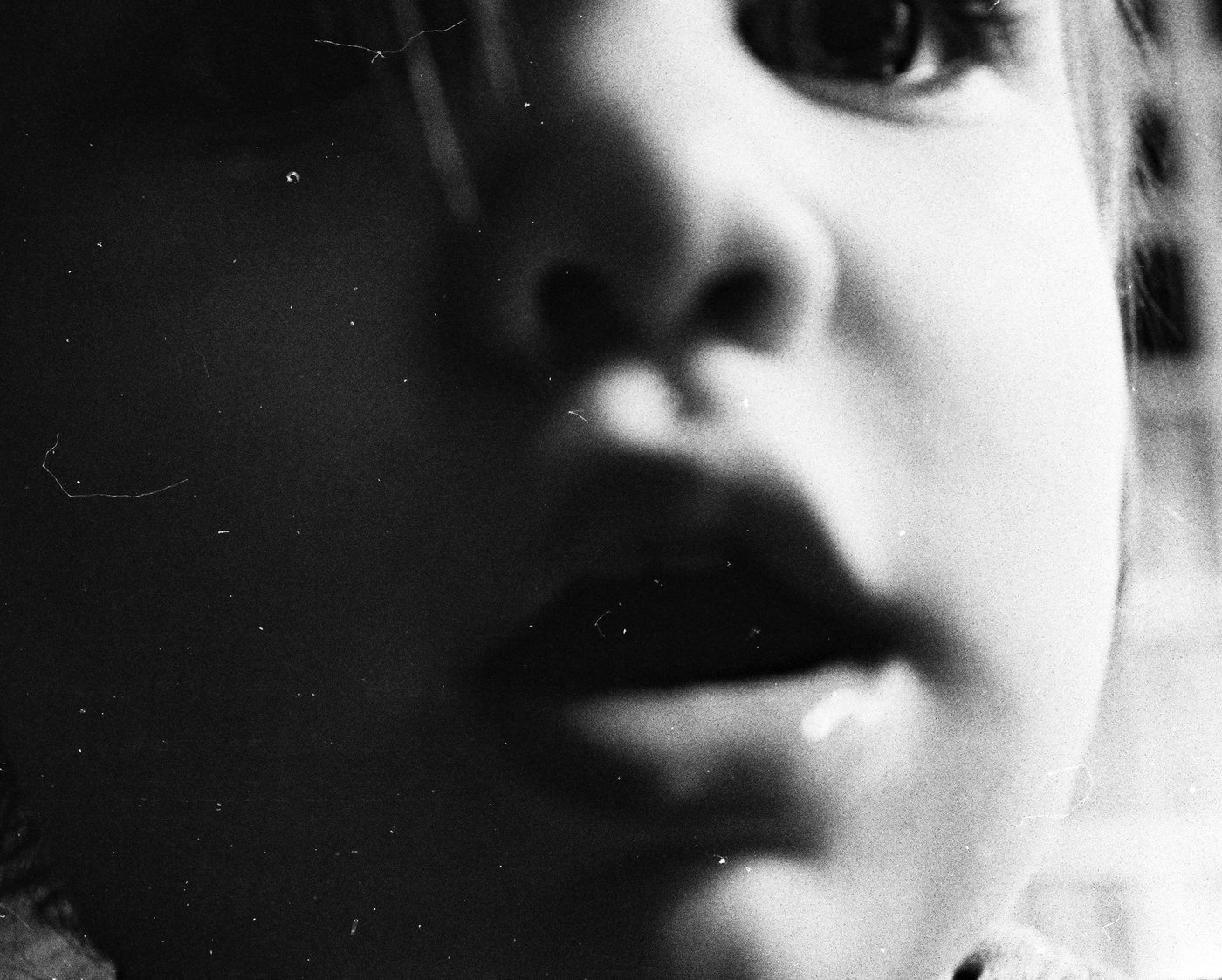



Open your scans. Find the dust. Check the work. Export.
Repair rebuilt each one from the film around it. Most frames need little else.
And when you want to take control, there's a whole set of hand tools.
See the tools.
24 of those 203 up close.
or hover one · each square is 64 × 64 px of the scan, shown at about 2×
Twenty-four of the separate repairs on this one frame. Each is a dust spot or hair lifted out and filled with grain matched to the film around it, with nothing done by hand.
Why do most dust removal tools leave a visible patch?
Because they smooth the mark over instead of rebuilding what was under it, and a smooth patch shows up close and looks worse in print. Spot Tone measures the grain in your own scan and puts it back, so the repair has the texture of the film around it.
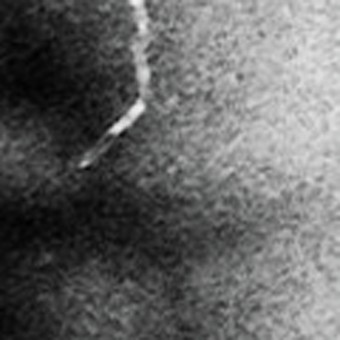
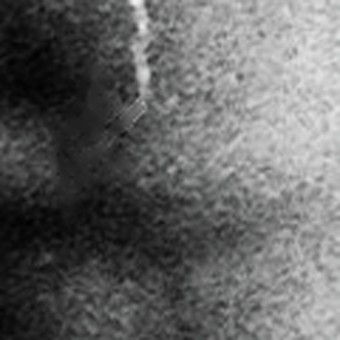
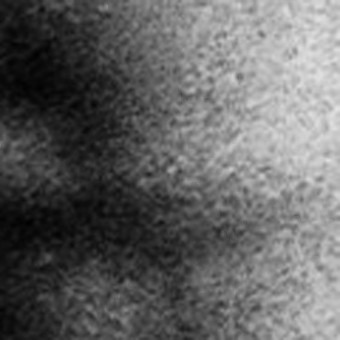
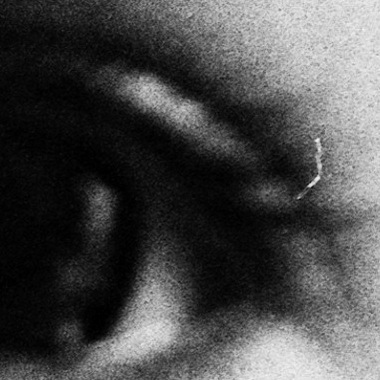
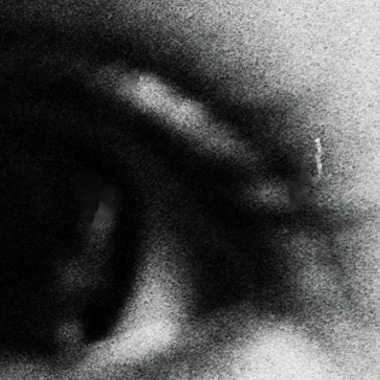
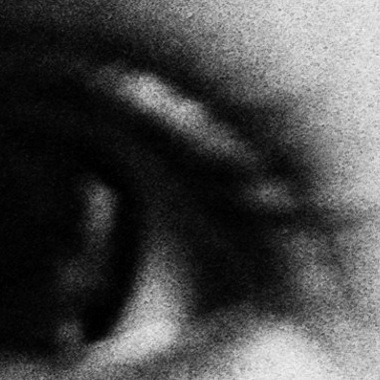
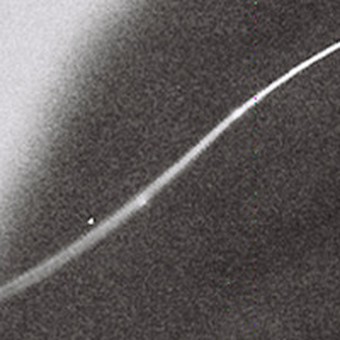
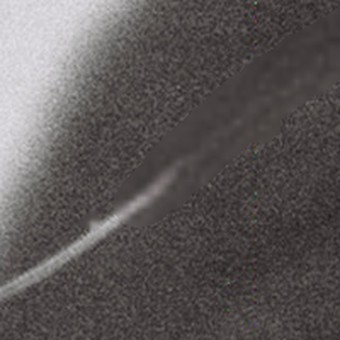
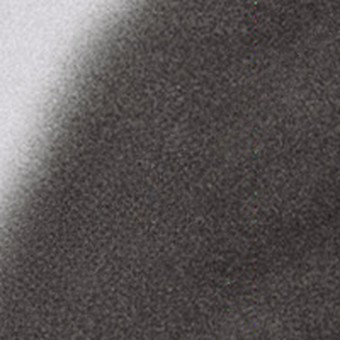
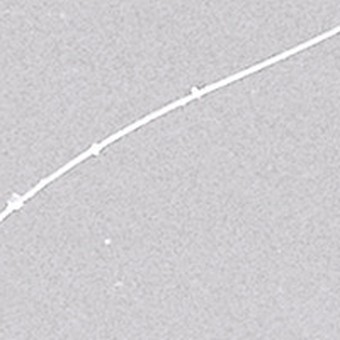


Middle panels: a leading scanner-software dust plug-in (top) and another dust removal app on full auto (bottom).
The plug-in smears the hair without removing it, and smudges the catchlight while the fleck stays. The app leaves flat, grainless stripes. Spot Tone removes them all and rebuilds grain matched to the frame, so the repaired area keeps the texture of the film around it.
Spot Tone has vastly changed our lab's output. The days of manually cleaning images in Photoshop are over.
Lab-only features
Everything in Lab is listed on the Tools page.
Built for the lab's hundredth roll of the day.
The Lab license is for film labs and anyone who scans other people's rolls. It adds batch work to everything in Indie, so a whole order goes from scanner to delivery in one app.
Point the Spot Tone Hot Folder where you save your scans. Frames are repaired as they land and saved to the Out folder you set, so you can keep scanning.
Running it beside a Noritsu or Frontier, black and white included, is covered on the labs page.
Lab is $50 per seat a month, or $500 per seat a year. Pricing has what it includes.
Two licenses.
Indie
Plus VAT or sales tax where it applies.
The license covers two computers, Mac or PC, and every 1.x update, the app and the detector both. There is nothing recurring and no annual renewal.
- Detect and Repair, Brush, Heal, Clone, and the Dust Lasso
- Every 1.x update, including new detector models
- Two computers, and you can move a license between your own machines
- Works offline
- 14-day free trial, every tool unlocked
Lab
Plus VAT or sales tax where it applies.
Each seat runs everything in Indie plus the tools for volume, on as many computers as you hold seats for.
- Hot Folder, Repair All, Export All, and Overwrite Mode
- Crop, Align and Auto-Rotate, and the whole Tone panel: exposure, curves, levels, color, and split toning, with a histogram and vectorscope
- One seat per computer, and you choose which computers hold them
- 14-day free trial, every tool unlocked
No account and no card to try it.
Details and definitions
What "every update" means. Everything that improves what you bought is included for the life of the version, including better detection models. A new major version means new capabilities, and that is a new purchase. Upgrading to it is optional.
Refunds. A refund revokes the license and clears its seats. A revoked license stops working the next time that computer reaches our server, and in any case within 90 days. Canceling is different: you keep everything through the end of the term you paid for. Yearly Lab: a full refund within 14 days; after that, at our discretion, unused months refunded at the monthly rate.
Lab yearly, seats, and stopping. Yearly is $500 per seat, two months free. Change the seat count any time from your subscription. Stop subscribing and you keep Indie on the Macs that held seats.
Payment and tax. Secure checkout by Paddle, who handle payment, tax, and invoices. In the US and Canada, tax is added at checkout where it applies. Elsewhere, the Indie price includes it.
Seats. A Lab seat is bound to a computer. Moving one to a replacement machine is a support request. Reducing seats evicts nothing: computers beyond the new count keep the hand tools and lose the lab features until you reassign.
Your scans stay on your computer.
Detection and repair run on your computer. No cloud, no account, nothing uploaded unless you ask it to. It phones home for app and detector updates and for crash reports; crash reports switch off in Settings.
Specifications.
- Runs on
- Apple Silicon Macs, macOS 14 or later. Windows 10 or 11, 64-bit
- Opens
- TIFF, JPEG, PNG, and DNG camera scans. 16-bit stays 16-bit; a DNG stays raw (Lab)
- Works with
- Lightroom, Photoshop, and Capture One
- Film
- 35mm to 8x10, color and black and white, negatives and slides, and wet-plate tintypes
- Your scans
- Stay on your computer. No account, no cloud
- Trial
- 14 days of the whole app, every tool unlocked, no account
Quick answers to common questions.
What Macs does it run on?
Apple Silicon Macs on macOS 14 or later. If it's Apple Silicon, it should work. Newer computers will go faster, as you'd expect. It doesn't run on Intel Macs.
Does it change my original scans?
No. A repair is exported as a new file. Spot Tone writes over an original only if you turn on Overwrite Mode yourself (which is only for Labs).
What files can I open?
TIFF, JPEG, PNG, and DNG camera scans. A 16-bit TIFF stays 16-bit all the way through to the export. JPG only does 8-bit, but if you're using a 16-bit TIFF, you probably already know that. A DNG is repaired as raw and saved as a new raw copy (Lab).
Do my scans leave my computer?
No. Detection and repair run on your computer, with no account and no cloud. If you choose to contribute corrections to help train the model, only frames you have corrected are sent, and that is off until you turn it on.
Does it work with Lightroom, Photoshop and Capture One?
Yes. Send frames from Lightroom (Edit In, or the Clean in Spot Tone plug-in), Photoshop or Capture One (Scripts ▸ SpotTone), clean them, and they go back where they came from.
Spot Tone doesn't overwrite your images unless you ask it to in Overwrite Mode, and that's Lab only, so I'm assuming you know what you're doing there, too. Just know that if you "Edit in" Spot Tone from Lightroom and send the original, that's what it'll save to. So edit a copy if that's not what you're after.
What kind of film is it for?
Film scans: Half-frame and full-frame 35mm, medium and large format, color and black-and-white, and wet-plate tintypes. It was trained on real scans of all of them.
Does it handle scratches and hairs?
Yes. Hairs and fibers are detected with the dust. Long scratches have their own tool, which follows the scratch and levels it into the film instead of painting over it.
What if it misses something, or marks something that isn't dust?
Brush over what it missed and erase what it shouldn't have marked. The Dust Lasso looks for dust spots inside a loop you draw, and ⌘Z takes back any stroke. There's a list of all the tools over at the, wait for it, Tools page.
What's the difference between Indie and Lab?
Indie has every hand tool, one frame at a time. Lab adds batch work: a hot folder that repairs scans as they arrive, Repair All, Export All, and Overwrite Mode. It also adds the Tone panel (exposure and contrast, curves, levels, color, auto levels, split-toning, a histogram, and a vectorscope) and Crop and Align.
What does it cost?
Both start with a 14-day free trial of the whole app, every tool unlocked, no account needed. After that, Indie is $99 once, for two computers. Lab is $50 per seat a month, or $500 per seat a year. Pricing has what each one includes.
Thin straight lines run across every frame. Can it fix those?
Yes. Those come from the scanner, not the film, so the dust pass doesn't look for them. Turn on Remove scanner lines in Settings ▸ Detect and they're leveled out when you repair. It's off by default because most scanners never leave them.
Why doesn't Digital ICE work on black and white film?
Digital ICE and similar features find dust with infrared, and the silver in traditional black and white film blocks infrared the way dust does, so the whole frame reads as dust. Kodachrome does the same. Chromogenic black and white like Ilford XP2 is dye, not silver, and cleans the usual way.
My scanner's dust removal has to be off for this film. What now?
Scan with it off, then open the scans in Spot Tone. Detect finds the dust, hairs, and scratches from the picture itself, no infrared needed, and Repair fills them with the film's own grain.
Does it work on black-and-white film?
Yes. Spot Tone reads the scan itself, so it works on silver black-and-white film and Kodachrome, where infrared dust removal doesn't apply. That is most of what a lab spots by hand.
Can it run on Windows?
Yes. Spot Tone for Windows runs on Windows 10 or 11, 64-bit, and a DirectX 12 graphics card makes it many times faster. A Mac license works on Windows too. Leave an address to hear about updates.
Where do I ask a question or report a problem?
Join the Spot Tone Discord, or email support@spottoneapp.com.