Why infrared dust removal fails on black and white film.
Most film scanners clean dust with an infrared pass. On color film it works well. On traditional black and white film it cannot work at all, and on color film it sometimes leaves something behind. Here is why, and what to do instead.
How infrared cleaning works.
A scanner with infrared cleaning reads each frame twice: once in visible light for the picture, and once in infrared. The dyes that make up a color negative or slide let infrared pass straight through, so in the infrared pass the film is nearly blank. Dust, hair, lint, and scratches do not let it through, so they show up as dark marks on that blank map.
The scanner treats every dark mark on the infrared map as a defect and fills it in from the picture around it. Kodak's Digital ICE, used in Epson and Nikon scanners, works this way, as does LaserSoft's iSRD in SilverFast, and the dust removal built into lab scanners like the Noritsu and Frontier.
Why it cannot see through black and white film.
Traditional black and white film is not made of dye. Its image is metallic silver, and silver blocks infrared the same way dust does. In the infrared pass the whole picture looks like one enormous defect, so there is nothing for the scanner to tell apart. The feature has to be switched off, and most scanner software turns it off for black and white on its own. Kodachrome has the same problem: its dyes block infrared too.
That is physics, not a bug anyone is going to fix. A few films are exceptions: chromogenic black and white, like Ilford XP2 Super, is made of dye rather than silver, so infrared cleaning works on it the way it does on color.
So black and white scans get spotted by hand, one frame at a time, in Photoshop or in the lab. Or they do not get spotted at all.
On color film, it can leave ghosts.
Where infrared cleaning does work, it fills each mark from the film around it, and the fill does not always match. A hair can leave a faint outline of itself: smoother than the grain around it, a shade off in color, the shape of the hair still there. At normal size most people never notice. At 100% on a print, some do.
These three are from one roll of color negative film scanned on a lab's Noritsu with its infrared cleaning on, enlarged about three to four times. Spot Tone found each leftover and repaired it with no hand work.
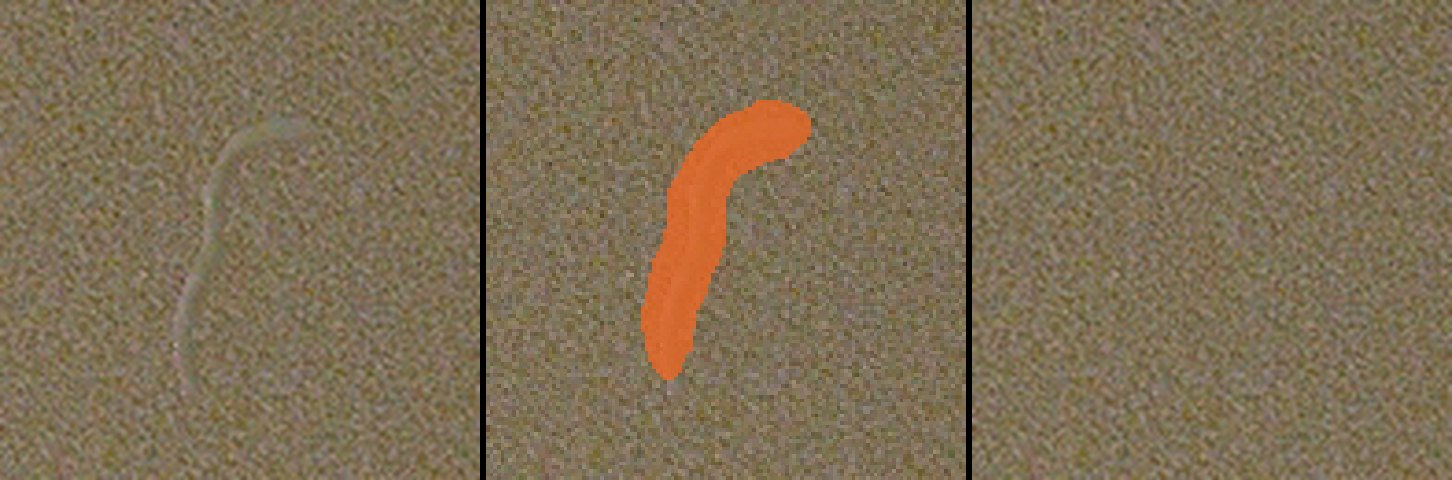
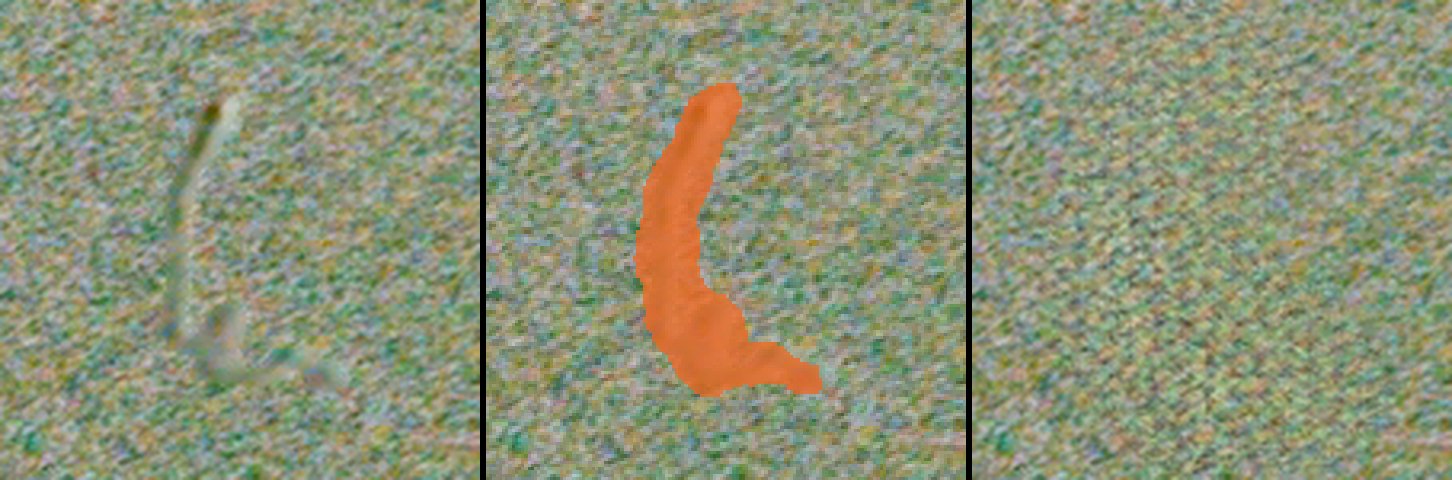
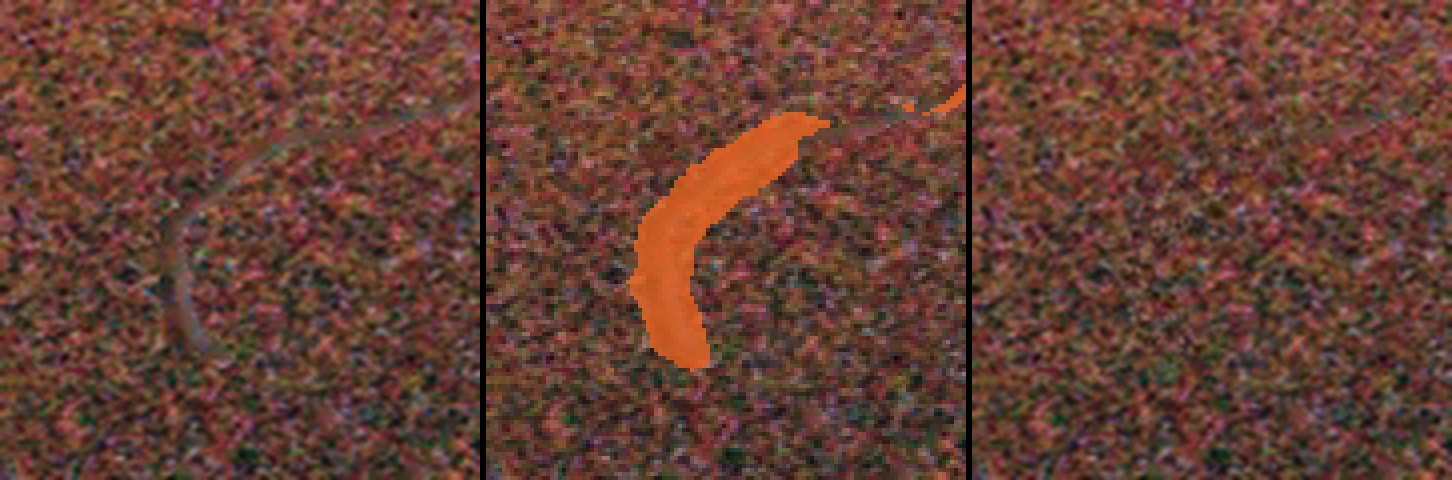
Each row: the frame as it came from the scanner, the marks Spot Tone's detector found, and the repair. Detect at 50% sensitivity, then Repair, with nothing done by hand.
What Spot Tone does instead.
Spot Tone does not use infrared. It looks at the picture itself, the way you would, and finds dust, hairs, and scratches from how they look against the film around them. Then it repairs each one with grain measured from your own scan, so the repair has the texture of the film instead of a smooth patch.
- Black and white: silver film, Kodachrome, and anything else infrared cannot clean.
- Color: with your scanner's infrared cleaning off, or on, to catch what it leaves behind.
- Any scanner: Epson flatbeds, Noritsu and Frontier lab scanners, Imacon and Hasselblad Flextights, Nikon Coolscans, and camera scanning, from 35mm to 8x10.
It runs on your computer. Your scans are not uploaded anywhere.